
Command An Army Discord: Join the Community
Join the public Command An Army Discord community through this wiki invite, then verify current rules, channels, and game announcements directly in Discord.
FAQ
What Discord invite does this guide use for Command An Army?
Is every Discord message an official game announcement?
What should I check after joining the Command An Army Discord?
How do you join the Command An Army Discord community?
Use the public Command An Army Discord invite listed by this wiki, then review the server before relying on anything posted there. The public Discord preview identifies the destination as Command An Army and describes it as an official community for the Roblox game, but current channels, rules, and announcements must be checked in Discord itself.
- Open the invite in Discord or a supported browser.
- Confirm that the server name shown on the join screen is Command An Army.
- Read the current rules, verification notices, and channel descriptions before posting.
- Treat in-server messages as time-sensitive until you can confirm them in the live game or an official source.
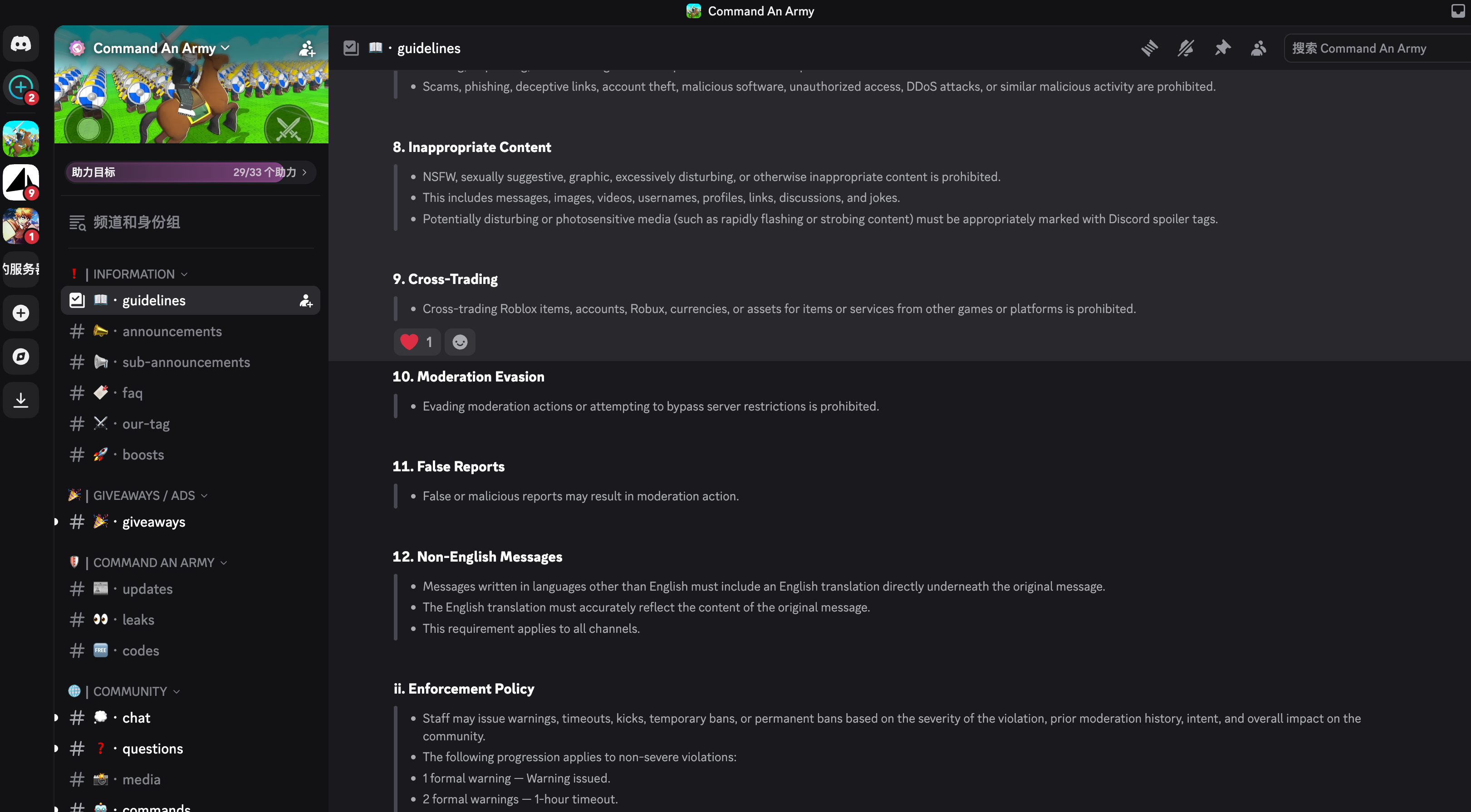
This screenshot records the Discord guidelines view and part of the channel list on September 20, 2026. It is an example of where to check before posting, not a substitute for the live server rules, which may change after this capture.
What does the public Discord preview confirm?
The public invite preview confirms that the link resolves to a discoverable Command An Army community and presents it as a Roblox-game Discord server. That is enough to identify the destination of this guide’s invite, but it does not establish permanent membership numbers, channel availability, staff identity, event schedules, support promises, or gameplay details because those can change without notice.
| Publicly visible when checked | What readers should still verify after joining |
|---|---|
| Server name: Command An Army | Current server identity and join screen |
| Public Discord invite resolves | Rules, verification, and channel access |
| Community describes itself as a Roblox-game Discord server | Which announcements are current and attributable |
The official Command An Army Roblox experience remains the best place to verify the live game’s availability and visible mechanics. For a source-bounded overview of those mechanics, start with the beginner guide.
How should you verify information shared in Discord?
Use Discord as a place to discover questions, updates, and community discussion, then confirm any claim that affects a gameplay decision. A message can be old, incomplete, speculative, or tied to a channel you cannot see. Check the current Roblox client and primary announcements before spending resources, sharing a code, or repeating a strategy as fact.
| Claim you see in Discord | Better confirmation before acting |
|---|---|
| A reward code works | Redeem it in the live client and compare it with the current codes page |
| A formation is best | Record the current version, objective, squad, and repeated results with the formation planning guide |
| A unit is obtainable | Check the live summon, inventory, or progression screens before spending resources |
| An event is running | Read the current in-server announcement and verify its date, scope, and destination |
What should you record when a Discord post changes your plan?
Save the message date, channel context, linked source, game version, and the visible result in the current Roblox client. That record separates an update you observed from an old discussion that may no longer apply.
Which Discord details are intentionally not claimed here?
This guide does not claim a fixed member count, channel list, rule set, moderator list, developer ownership, giveaway schedule, support response time, code source, or event calendar. The public preview and join flow can change, and some server details are visible only to members. Recheck the live server whenever those details affect a decision.
That boundary also applies to game strategy. The unit tier list is a dated community reference rather than a permanent game guarantee, and the code redemption guide explains why a visible Roblox response is the final check for a reward code.
Where should you look for current Command An Army information?
Use the Discord invite to join conversation, but retain a clear order of evidence when current details matter. The live Roblox experience is the authority for the game’s active interface and mechanics; this wiki organizes dated guides and checklists; Discord is useful for community discussion and notices that should be verified in context.
- Check the live Command An Army Roblox experience for the current game state.
- Use the beginner guide to identify the core activities to observe.
- Check the current codes page and code redemption guide before depending on a reward.
- Revisit the public Command An Army Discord invite when you want community discussion or the latest visible notices.
Related Articles
Codes
How to Redeem Command An Army Codes
Follow the corroborated Command An Army code redemption steps, check current source dates, and treat the live Roblox response as final.
OpenGuides
Command An Army Beginner Guide: Game Overview
Learn Command An Army's official attack, defense, troop, capture-point, formation, and upgrade loop, with clear limits on unverified mechanics.
OpenGuides
Command An Army Formation Planning Guide
Use Command An Army's official formation and capture-point loop to plan, record, and evaluate a squad without presenting untested builds as meta.
OpenWas this helpful?
Thanks for the feedback!